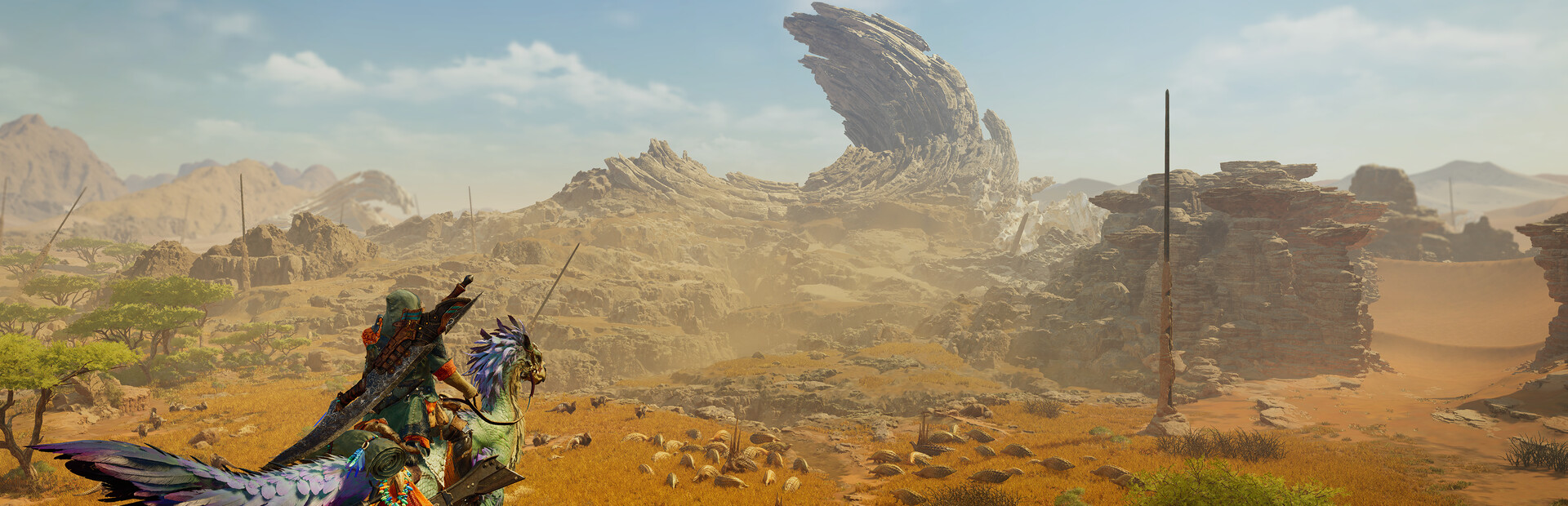
Verdict: Monster Hunter Wilds is the next evolution of the series, bringing seamless open worlds and dynamic weather to the hunt. But with great scale comes great system requirements. Is your PC ready?
The Review: Is It Worth The Upgrade?
Monster Hunter Wilds represents the most ambitious leap for the franchise since World. Capcom has finally ditched the segmented zones of the past for a fully seamless, living ecosystem. The Forbidden Lands are vast, dangerous, and teeming with life that interacts whether you are there or not.
Gameplay & Combat: The core loop remains addictive: track, hunt, carve, craft. However, the introduction of the Seikret mount changes everything. You can now sharpen your weapon, consume potions, and even switch loadouts while moving. This keeps the pace fast and fluid. The new Focus Mode adds a layer of precision, allowing you to target monster wounds specifically for massive damage.
Visuals & Atmosphere: Running on the RE Engine, the game is stunning. The dynamic weather system is not just cosmetic; sandstorms and thunderstorms change monster behavior and visibility. This is where the performance cost comes in. The volumetric lighting and particle effects during these storms are heavy on the GPU, making upscaling tech like DLSS essential for mid-range cards.
Official System Requirements
| Level | Resolution / FPS | CPU | GPU |
|---|---|---|---|
| Minimum | 1080p / 30 FPS (Low) | Ryzen 5 3600 / i5-10400F | RX 5600 XT / GTX 1660 Super |
| Recommended | 1080p / 60 FPS (High) | Ryzen 5 5600X / i5-12400F | RX 6700 XT / RTX 3060 Ti |
| Ultra | 4K / 60 FPS (Max) | Ryzen 7 7800X3D / i7-13700K | RX 7900 XTX / RTX 4080 |
Best PC Builds for Monster Hunter Wilds
1. The Sweet Spot (1440p High)
If you want the best balance of visuals and performance, targeting 1440p is the way to go. For this, we recommend the Nvidia RTX 4070.
Why? It features DLSS 3 Frame Generation, which is essential for hitting high frame rates in dense areas like the Windward Plains without sacrificing quality.
2. The Budget Hunter (1080p 60 FPS)
On a budget? The RX 7600 or RTX 4060 are the kings of 1080p.
Optimization Tips
- Turn Volumetric Fog to Medium: Minimal visual loss, massive FPS gain.
- Enable DLSS/FSR Quality: Free performance.
- Cap your FPS: For smoother frame times.
[/vc_column_text][/vc_column][/vc_row]